Roblox Compatibility: Characters, download options, and bringing animation into Roblox from Uthana
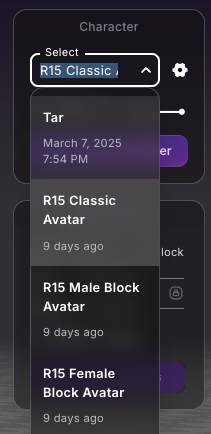
Uthana has three characters, accessible via the Character tab on your account, that are compatible with Roblox Studio:
These meshes are taken from default Roblox characters with the R15 rig. If animation is downloaded on any of these three characters, the animation can be applied to any of the default Roblox R15 characters.
If any of these characters are selected in the Uthana motion viewer, there are some additional download options to make the downloaded FBX animation compatible with Roblox Studio.
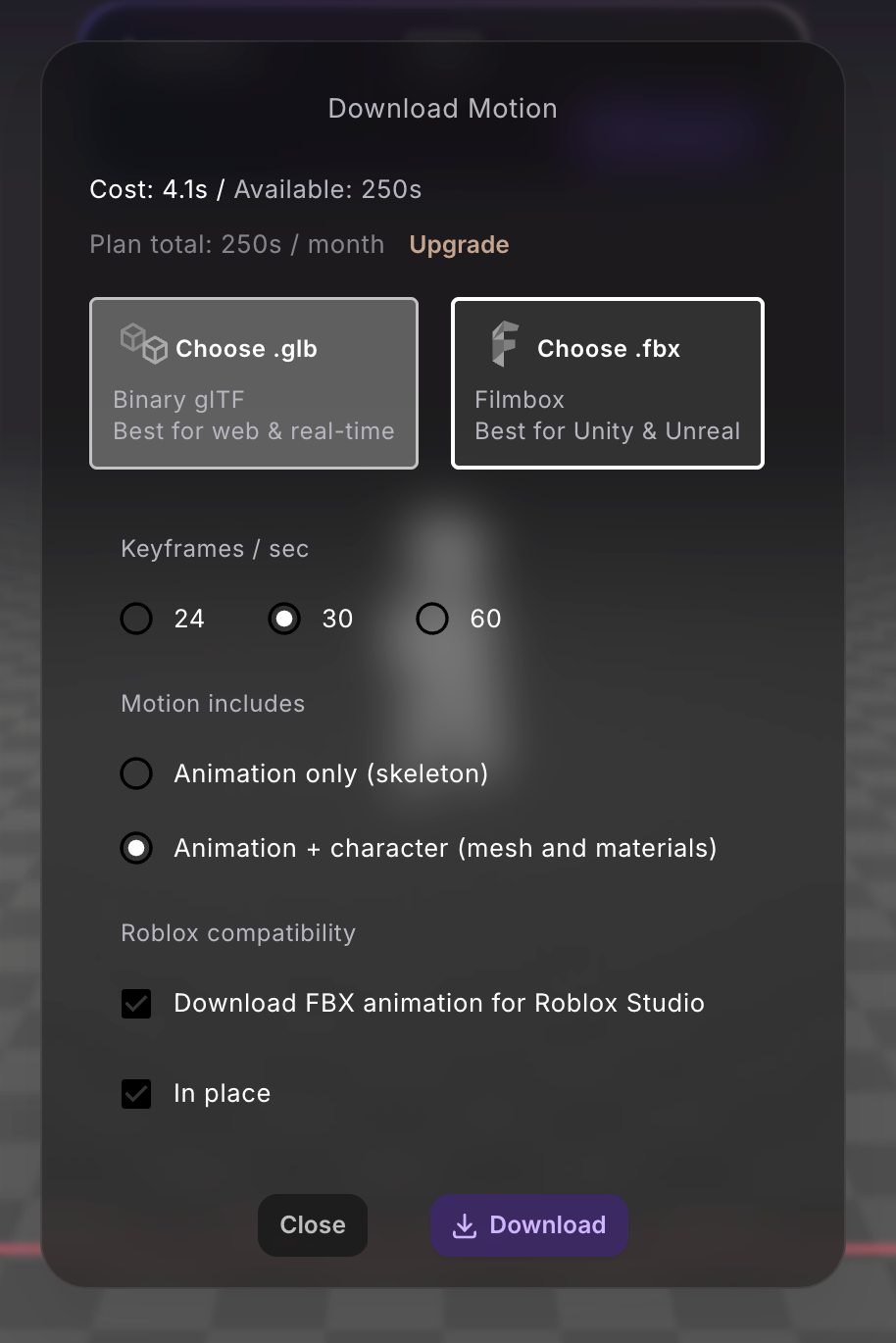
1. Animations uploaded to Roblox must be FBX files. If you select "Download FBX animation for Roblox Studio" it willl automatically be downloaded as an FBX.
2. Roblox Studio defaults to 30 frames/second, so 30 Keyframes/sec is the best option if you use that default setting.
3. Option to download the animation in-place (no root motion aside from up-down motion). This may be preferable for Roblox users.
1. Open Roblox Studio.
2. Go to the Avatar tab and choose any default character with an R15 rig. This example uses the R15 Masculine “My Avatar”.
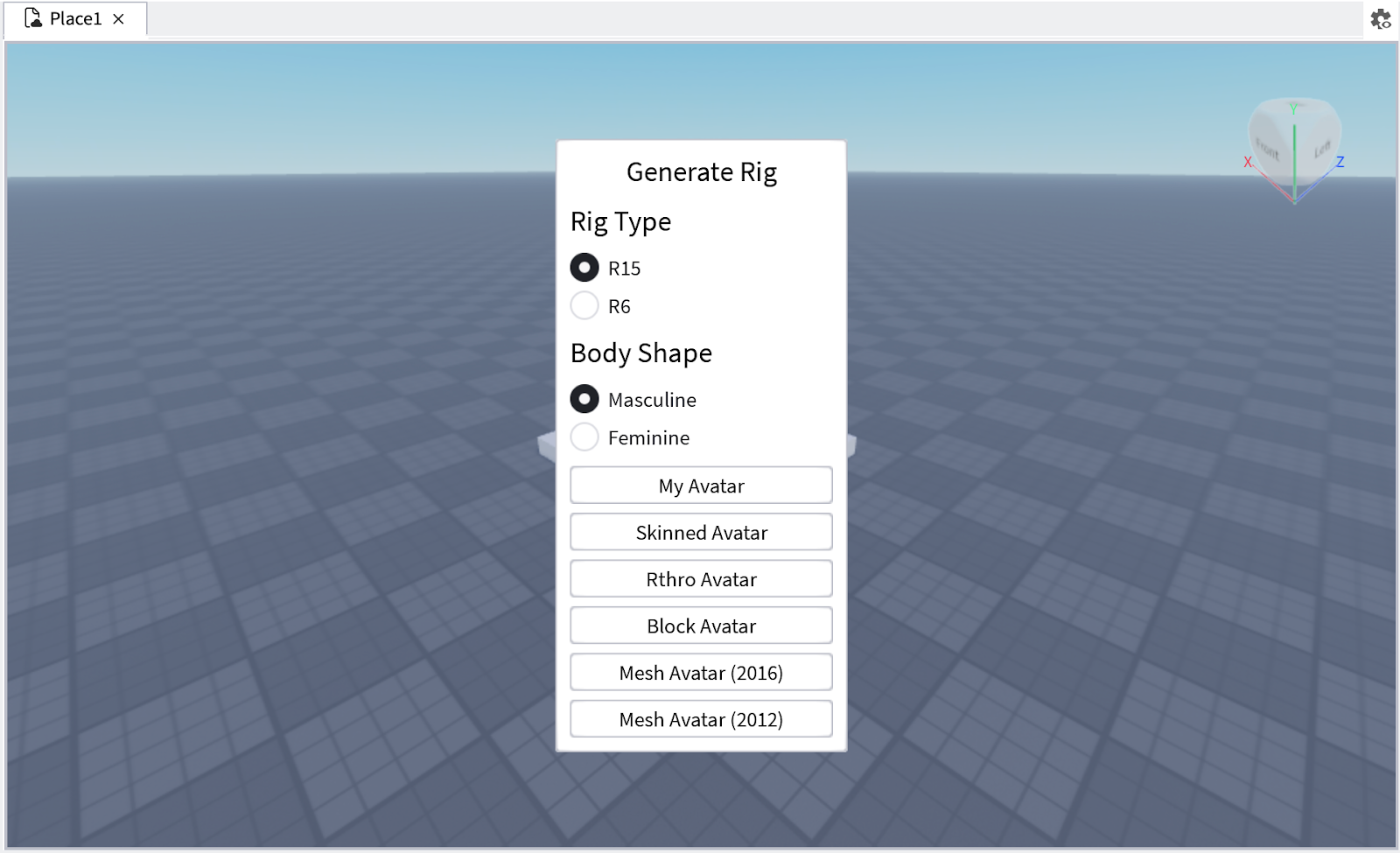
3. Open the Animation Editor and select your character.
4. Click on the three dots and select Import > From Fbx Animation
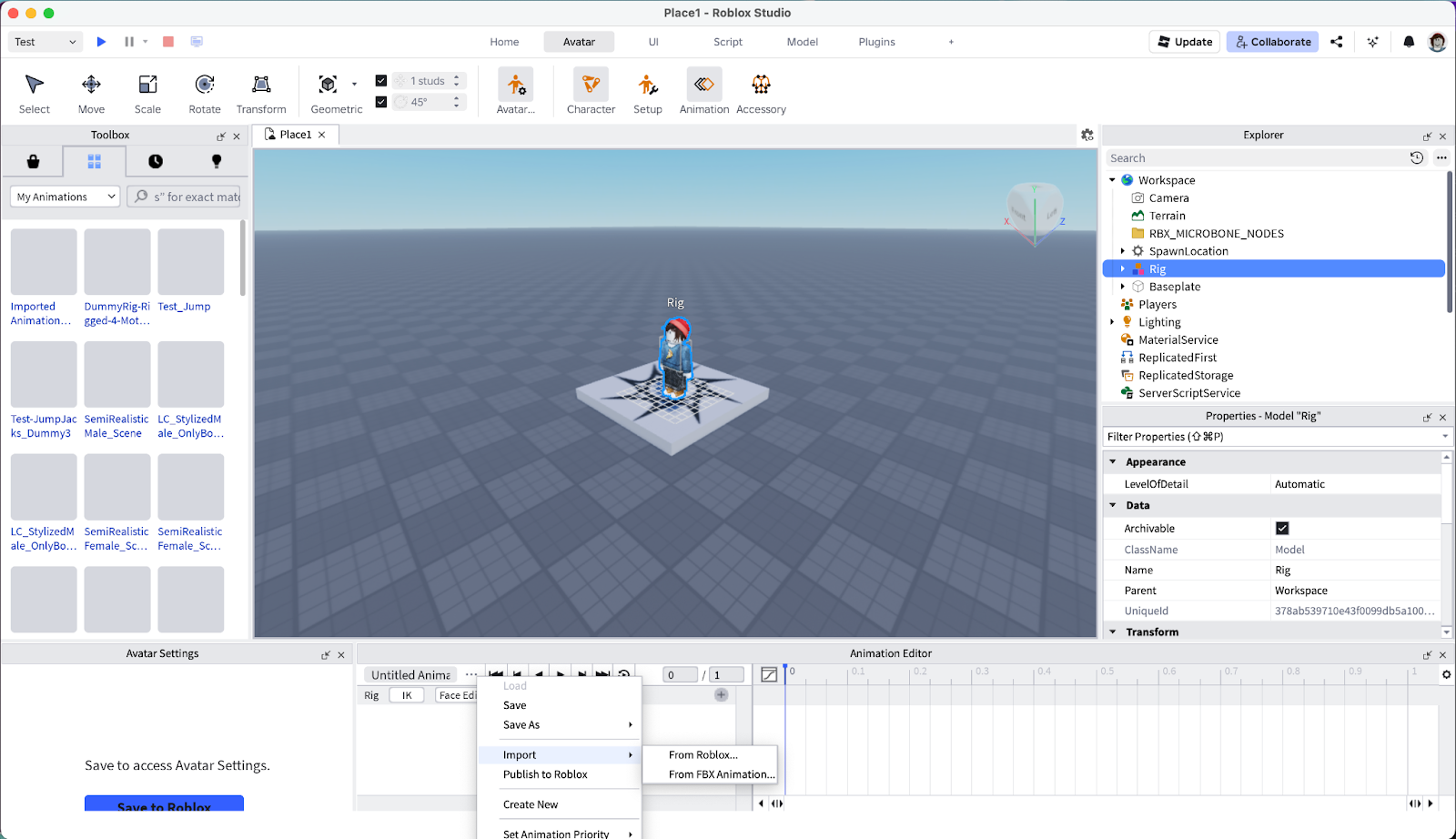
5. Select your downloaded FBX file and watch it play on your character!
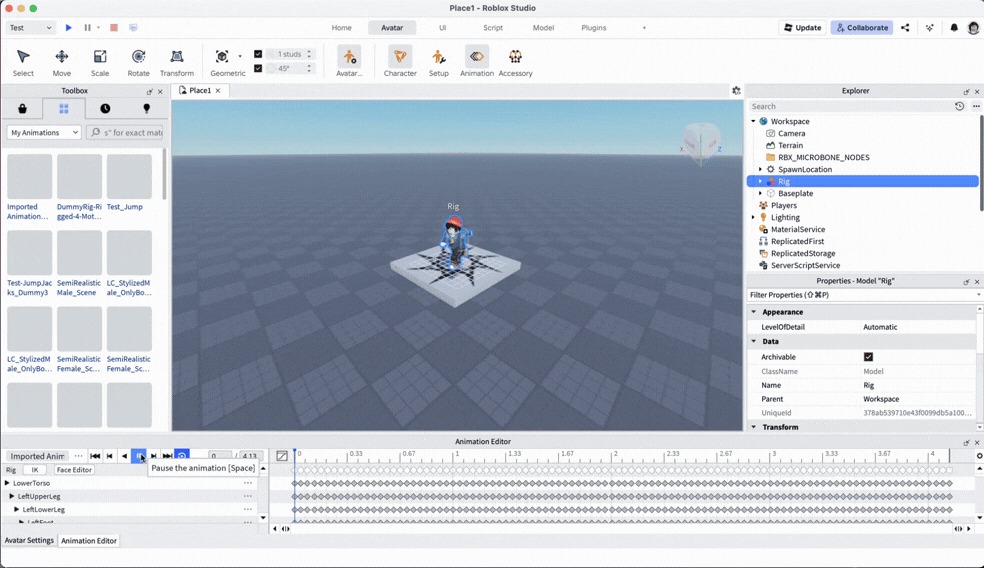
6. You can save this motion to Roblox, and apply to other R15 rigged characters.
Start generating motion today, or work with us on a custom dataset, embodiment system, or simulation program.